
Discover the best AI tools for consultants in 2026 to automate research, create client deliverables, and improve productivity.
Consulting is not just about expertise — it’s about delivering results efficiently.
But a lot of time is spent on research, presentations, and repetitive work.
This is where AI tools can give consultants a serious advantage.
In this guide, you’ll discover the best AI tools for consultants and how to use them to save time and improve client results.

Why Consultants Are Using AI Tools
Consultants spend a lot of time on tasks that don’t directly create value.
- Research and data analysis
- Creating presentations
- Writing reports
- Client communication
AI tools help reduce this workload and improve speed without sacrificing quality.
The Biggest Challenge Consultants Face Today
Many consultants struggle with time pressure.
Clients expect fast results — but research, analysis, and reporting take time.
This often leads to long hours and limited scalability.
AI tools help consultants deliver faster while maintaining high-quality work.
Best AI Tools for Consultants in 2026
ChatGPT – Best for Research and Content Creation
What it does:
ChatGPT helps consultants generate ideas, analyze topics, and create content quickly.
How consultants use it:
- Research industry trends
- Draft client reports
- Brainstorm strategies
- Create presentation content
Real use case:
A consultant uses ChatGPT to create a first draft of a client report in minutes instead of hours.
Time saved: 6–10 hours per week
Notion AI – Best for Managing Client Work and Projects
What it does:
Notion helps organize projects, notes, and workflows.
How consultants use it:
- Track client projects
- Organize research
- Manage deliverables
Real use case:
Keeping all client work structured in one system.
Time saved: 5–8 hours per week
Zapier – Best for Automating Business Processes
What it does:
Zapier automates workflows between apps.
How consultants use it:
- Automate client onboarding
- Connect tools and platforms
- Reduce manual work
Real use case:
Automatically sending onboarding emails and collecting client data.
Time saved: 8–12 hours per week
Canva AI – Best for Client Presentations
What it does:
Canva helps create professional presentations quickly.
How consultants use it:
- Create client decks
- Design visuals
- Present insights clearly
Real use case:
Building a presentation for a client in a fraction of the usual time.
Time saved: 4–6 hours per week
Grammarly – Best for Professional Reports
What it does:
Improves clarity and quality of writing.
How consultants use it:
- Edit reports
- Improve communication
- Ensure professionalism
Real use case:
Polishing client deliverables before sending them.
Time saved: 2–4 hours per week
Which AI Tool Should You Start With?
- Start with ChatGPT if you spend a lot of time on research and writing
- Use Notion if your work feels disorganized
- Choose Canva if you create client presentations
- Use Zapier if you want to automate workflows
You don’t need everything — just pick one tool and start there.
The Truth About Using AI as a Consultant
AI won’t replace your expertise — but it will change how you work.
The biggest advantage is speed.
If you can deliver results faster than others, you become more valuable.
Real Example: How a Consultant Saves 10+ Hours Per Week With AI
A consultant working on multiple client projects often spends hours on research and reporting.
With AI tools:
- ChatGPT generates research summaries
- Notion organizes project data
- Canva builds presentations quickly
The result:
- Faster delivery
- Better organization
- More time for strategy
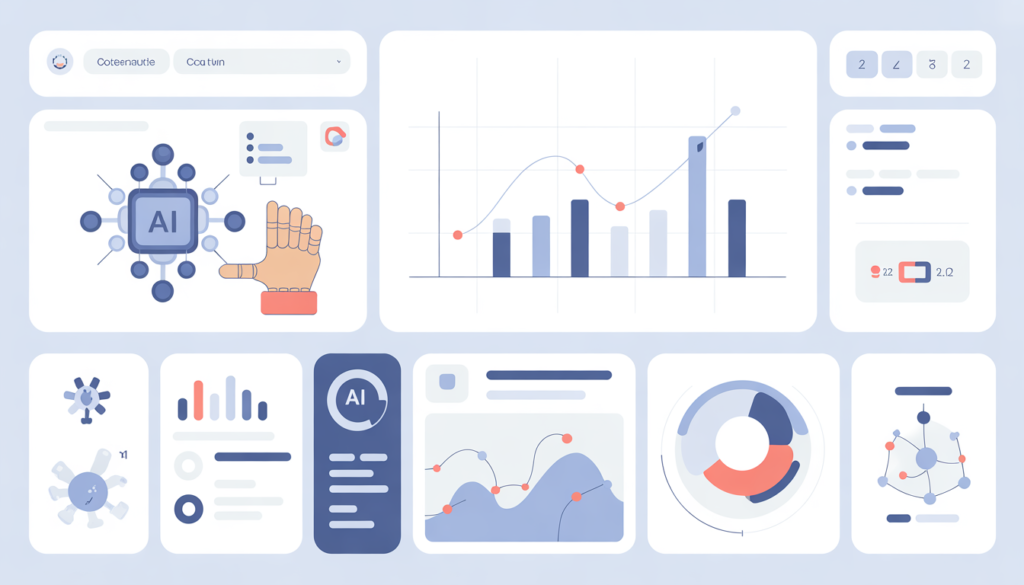
How Consultants Can Build an AI Workflow
Step 1: Use AI for research
Generate summaries and insights quickly.
Step 2: Organize everything
Use Notion to manage client work.
Step 3: Automate processes
Use Zapier to reduce manual tasks.
Step 4: Improve delivery
Create better presentations and reports.
A Simple AI Workflow Consultants Can Use Today
Instead of using random tools, the best consultants build a simple workflow.
Here’s a practical system you can start using immediately:
Step 1: Research Faster with AI
Use ChatGPT to summarize industry trends, competitor insights, and market data.
Step 2: Structure Your Ideas
Use Notion to organize your research and create a clear project structure.
Step 3: Create Deliverables Faster
Use Canva to turn insights into professional presentations.
Step 4: Automate Repetitive Tasks
Use Zapier to automate onboarding, emails, and admin work.
This simple workflow can reduce hours of work into minutes.
What High-Performing Consultants Do Differently
The best consultants don’t work more — they work smarter.
Instead of doing everything manually, they build systems.
They reuse frameworks, automate tasks, and focus on high-value work like strategy and decision-making.
AI tools make this easier than ever.
What You Should Do Next
- Choose one tool
- Apply it to your workflow
- Measure time saved
Explore More AI Tools
Conclusion
AI tools help consultants deliver faster, better, and more efficiently.
The real advantage comes from building systems, not just using tools.